
An existing Acadis designated training manager can add or remove additional Acadis designated training managers by using this webform.
All Acadis designated training managers have the ability to see all agency personnel, request registrations, update the agency’s point of contact (POC) list, apply for certifications, and pull reports.
A student ID number is required to complete this form.
CJTC will verify if the webform was submitted by a current Acadis designated training manager. Webforms submitted by any other person will not be processed.
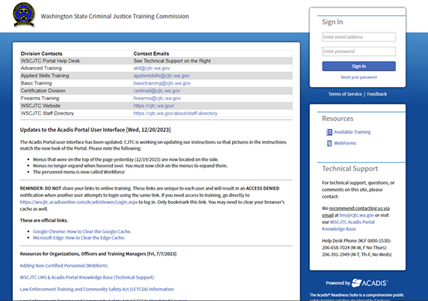
1. Login into the WSCJTC Acadis Portal at https://wscjtc.acadisonline.com/
If the log in page does not look like this, you are not on the Acadis portal
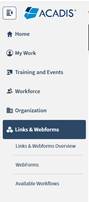
2. Go to Links & Webforms > Webforms
3. Complete the "Request for Training Manager Permissions"

4. Click Submit when all required information is entered.
Please allow 24-48 hours for processing. Requests received after noon on Friday may not be completed until the next business day.